
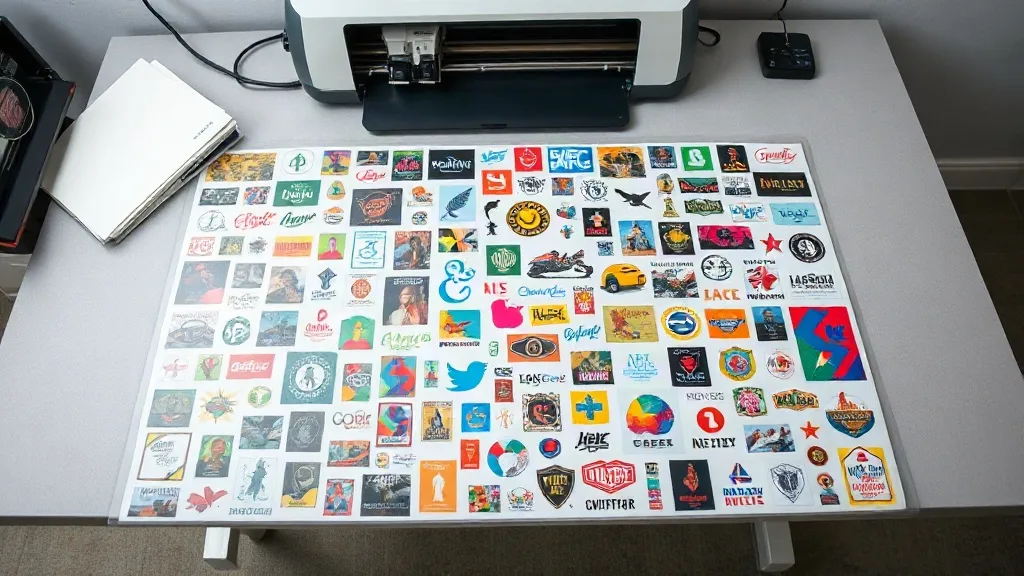
Most print shops lose money on small orders without noticing it. A single shirt with a two-color logo takes the same setup time, the same film, and the same press cycle as a full run, yet it bills like a favor. The fix is not to charge more for small jobs. It is to stop printing them one at a time. A DTF Gangsheet packs many separate designs onto one continuous film, so you pay for a sheet rather than a single transfer. That shift changes the math on every short run you accept.
This guide covers what a gangsheet actually is, how to lay one out so your cutter and press stay happy, and the mistakes that quietly turn a cost-saving sheet into wasted ink and film.
What a DTF Gangsheet Actually Is
Direct-to-film printing works by jetting white and color ink onto a PET film, then dusting the wet ink with a hot-melt adhesive powder. The powder fuses under heat, and the finished transfer can be pressed onto cotton, polyester, blends, and even some nylon. No pre-treatment, no weeding, no cutting around tiny letters by hand.
A gangsheet takes that same process and fills the film edge to edge with multiple designs. Instead of sending one artwork file per job, you send a layout file that contains every design you need for the week, arranged to use as much of the film as possible. When the sheet comes off the printer, you cut the individual transfers apart and press them as needed.
The practical result is a per-unit cost that drops sharply. Film, powder, and printer time are shared across every design on the sheet, so a small logo that would be expensive on its own becomes cheap when it shares space with twenty others.
Why shops move to sheet-based pricing
Per-print pricing punishes exactly the orders that keep a shop alive: team jerseys with twelve names, a bachelorette batch with six different slogans, sample packs for a new client. Sheet-based pricing lets you quote those jobs confidently. You know the sheet cost, you know how many designs fit, and the margin is visible before you hit print.
How to Lay Out a Sheet That Saves Real Money
The savings come from density, not from the sheet itself. A half-empty gangsheet costs the same as a full one, so the layout is where the money is made or lost.
Nest designs by size, not by job
Group all large prints together, then fill the gaps around them with small ones. Artwork should be rotated where the design allows it, because a rotated 3-inch logo often slots into a space that a straight one cannot. Keep at least a quarter inch between designs so your cutter has room to work and the powder does not bridge across edges.
Leave a consistent bleed margin
Film edges curl slightly during printing and curing. Designs placed flush against the border tend to lift or pick up uneven powder. A consistent margin around the outer edge of the sheet protects the prints closest to the edge and makes trimming predictable.
Match sheet width to your printer
Standard roll widths vary by machine, and a layout built for the wrong width will either waste a strip or fail to print. Confirm your printer's printable width before you build the file, and keep the design area inside that limit with a small buffer.
Keep white ink layers consistent
Mixing designs that need a heavy white base with designs that need almost none forces the printer into a single setting. Group similar ink loads together. If you run a lot of dark garments, dedicate whole sheets to heavy-white designs and keep light garments on their own sheet. The ink savings are modest per print but add up over a month of production.
Cutting and Pressing Without Losing Time
A gangsheet only pays off if the finishing step is fast. Hand-cutting every transfer with scissors erases the advantage. A vinyl cutter with a contour-cut file, or a flatbed cutter for higher volume, turns a dense sheet into a stack of ready transfers in minutes.
Include cut lines in the layout file and add a small offset so the blade clears the printed edge. Then sort the cut transfers by job as they come off the cutter. A sheet that mixes five orders becomes a sorting puzzle if nobody labels the pieces.
Pressing is straightforward: preheat the garment to remove moisture, place the transfer with the adhesive side down, and press according to your film supplier's temperature and time. Peel warm or cold depending on the film type, then do a short second press with a cover sheet to lock the edges. Skipping that second press is one of the most common reasons a transfer lifts after a few washes.
Common Mistakes That Waste Film and Ink
- Crowding designs too tightly. No gap means ragged cuts, powder bridging, and transfers that tear at the edge.
- Ignoring the grain of the film. Some films stretch differently in one direction, which shows up as distortion on large prints.
- Printing one sheet for one order. If a sheet is half empty, hold it and combine it with the next batch instead of running it now.
- Skipping a test print. Color shifts on film look different than on screen. A small test patch on the corner of a sheet catches profile problems before you commit a full run.
- Storing cut transfers loosely. Dust and humidity degrade the adhesive. Keep them flat in a sealed bag until press day.
When a Gangsheet Is the Wrong Choice
Sheets are not automatically cheaper. If you need a single large back print that fills most of the film, a dedicated print is simpler. The same goes for rush jobs where the setup time to build a layout outweighs the savings, or for designs with very fine detail that need individual attention during cutting.
The honest rule: a gangsheet wins when you have several small to medium designs that can share space, and when you can plan production a few days ahead rather than printing one order at a time.
Frequently Asked Questions
How many designs fit on one DTF Gangsheet?
It depends entirely on design size and sheet dimensions. A sheet packed with 2-inch logos can hold dozens, while a sheet with full back prints may hold only a handful. Build your layout around total printed area rather than a fixed count, and check the filled percentage before you send the file.
Can I mix different garment colors on the same sheet?
Yes, but group by ink load instead. Dark garments usually need a heavier white base, and mixing those with light-garment designs forces one printer setting across the whole sheet. Separate sheets by white-ink demand give cleaner results and less waste.
Do gangsheet transfers last as long as individual DTF prints?
Durability comes from the film, powder, and press settings, not from how the designs were arranged. A properly pressed transfer from a gangsheet holds up through repeated washing just like a single print. The weak points are skipped second presses and transfers stored in humid conditions.
What file format should I send for a gangsheet layout?
Most suppliers want a print-ready file at final size with transparent backgrounds, plus a separate cut-line layer if contour cutting is offered. Confirm resolution and color profile requirements first, because a layout that has to be rebuilt at the supplier's end adds days to your turnaround.