
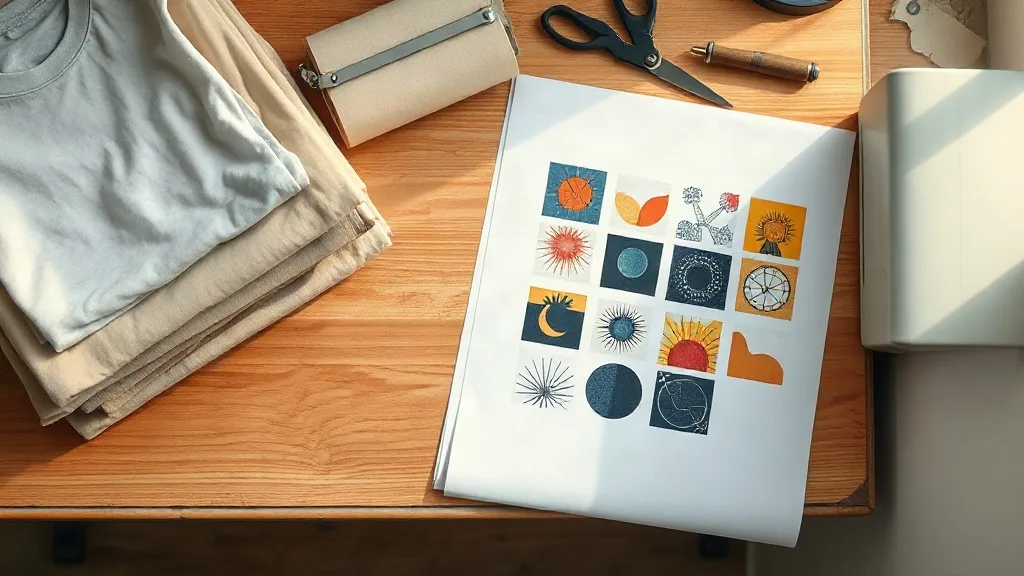
Most small print shops do not fail because their designs are bad. They fail because a single order turns into three vendor emails, a shipping delay, and a blank that shrinks two sizes after the first wash. Building a print-on-demand setup that actually holds up comes down to two decisions: what you print on and how you lay out the print itself. Get those right and the rest of the workflow stops fighting you. This guide walks through why shaka wear blanks have become a quiet favorite among independent printers, and how a DTF Gangsheet Builder turns a messy transfer order into a single, predictable file.
Why the Blank Matters More Than the Design
Ask anyone who has printed a hundred shirts for a local band or a gym opening and they will tell you the same thing: customers judge the print by the shirt it sits on. A crisp transfer on a thin, scratchy blank still feels cheap in the hand. A slightly imperfect print on a heavyweight, soft-hand tee gets worn for years.
This is where blank selection stops being a detail and becomes a business decision. You are not just buying fabric. You are buying repeat customers, fewer complaints, and a garment that survives enough washes to keep your brand visible.
What Makes Shaka Wear Worth a Look
Shaka Wear built its reputation on heavyweight streetwear staples, and that focus shows in the blanks most printers actually use. A few things stand out in day-to-day production:
- Substantial fabric weight that holds its shape instead of going limp after a few wears
- Consistent cut and sizing across batches, which matters when you reorder for a returning client
- Good surface texture for DTF transfers, since a stable weave means less ink settling and fewer cracks
- A color range that suits streetwear, teamwear, and event merch without looking generic
If you want to see the current lineup in one place, the shaka wear collection is a reasonable starting point to compare weights and colorways before you commit to a bulk order.
The Hidden Cost of Cheap Blanks
A cheaper tee saves you a couple of dollars per unit. Then one customer washes it once, the hem twists, and you are shipping a replacement at your own expense. Add the labor of reprinting and the review that follows, and the savings disappear fast. Heavyweight blanks cost more upfront but tend to reduce the number of after-sale problems, which is the number that actually matters on your books.
Where DTF Fits Into a Small Shop Workflow
Direct-to-film changed the math for small printers. You no longer need a dedicated DTG machine, a screen setup, or a minimum order of fifty pieces to offer full-color prints. You print the design onto film, cure it with powder, and press it onto whatever garment the customer chose.
The catch is layout. DTF film is sold by the sheet or by the meter, and if you print one design per sheet you are paying for a lot of empty space. That wasted area is where most of your margin quietly disappears.
Gangsheets Explained Without the Jargon
A gangsheet is simply a single large file where you arrange many designs side by side so they print together on one continuous roll. Instead of five separate film jobs, you get one. The savings come from three places: less film waste, fewer machine setups, and less time spent babysitting individual print runs.
Doing this manually in design software works, but it is slow and error-prone. You have to place each design, check spacing, account for bleed, and hope nothing overlaps. A DTF Gangsheet Builder handles that layout step for you, so you upload artwork, arrange it on a roll, and export a print-ready file in one pass.
How the Two Pieces Fit Together
Picture a typical week: a local café needs twelve tees with a logo, a running club wants thirty singlets with names, and a school fundraiser asks for forty shirts in three colors. With shaka wear blanks on the shelf and a DTF Gangsheet Builder handling layout, all three jobs can share film space. The café logo fills a corner, the running club names tile across a row, and the school design repeats in a block. One press session, one film order, three happy clients.
Building a Gangsheet That Prints Cleanly
The layout tool does the arranging, but a few habits keep the output sharp and the press predictable.
- Group by garment color. White ink behaves differently on light versus dark blanks. Sorting designs by the shirt they will land on reduces test presses.
- Leave breathing room. A small gap between designs prevents edges from bleeding into each other during curing and makes trimming faster.
- Keep resolution honest. A 300 DPI file at final print size is the baseline. Upscaling a small logo never ends well on fabric.
- Check your smallest text. Fine serif fonts and thin script lines can clog. If a detail is under a few millimeters tall, simplify it before it reaches the film.
- Label the file clearly. A gangsheet with ten designs is useless if nobody knows which piece belongs to which order. Name the file with the job date and client.
Press Settings Worth Dialing In
Temperature, pressure, and dwell time matter as much as the file. A common starting point is around 150 to 160 degrees Celsius for a short press, but every shop's equipment runs a little differently. Run a test press on a scrap blank before committing a full order, and note the settings that worked. Over time that log becomes the most valuable document in your shop.
Pricing and Margin: A Realistic View
Print-on-demand margins look great on paper until shipping, film waste, and reprints eat into them. The gangsheet approach helps on the film side, and heavyweight blanks help on the reprint side. Combined, they shift the numbers in your favor without requiring you to raise prices.
A practical way to check your setup is to price a single small order end to end: blank cost, film used, powder, press time, packaging, and shipping. If the total leaves you with a margin you would be comfortable repeating a hundred times, the workflow is working. If not, look at film waste first, since that is usually the easiest leak to plug.
Common Mistakes That Cost Small Shops Money
Most problems in this workflow are avoidable. A few recurring ones:
- Printing gangsheets at the last minute and skipping a test press
- Mixing light and dark garment designs on the same film without accounting for ink layering
- Ordering blanks in a single size run instead of the size curve the client actually needs
- Ignoring the wash test, which is the only real proof a transfer will last
None of these require new equipment. They require a checklist and the discipline to follow it when a deadline is tight.
Frequently Asked Questions
Can I use a DTF gangsheet for different garment colors in one order?
Yes, but plan the layout around them. Group designs by the blank color they will be pressed onto, and keep white-ink-heavy designs together. This reduces the number of test presses and keeps the film easier to trim and apply.
How much film does a gangsheet actually save compared to single prints?
It depends on how tightly you pack the designs, but most shops see a meaningful reduction because empty margins disappear. The savings grow with the number of small designs per order, which is exactly where single-sheet printing wastes the most material.
Are Shaka Wear blanks suitable for DTF transfers?
They work well because the fabric surface is stable and the weave is consistent. A stable surface means the transfer adheres evenly and is less likely to crack at stress points like the shoulder seams and hem. Always run a wash test on a sample before a full run.
Do I need design software to build a gangsheet?
You can build one manually in most vector or raster editors, but it takes time and invites placement errors. A dedicated builder handles spacing and layout rules automatically, which is faster and less likely to produce a file that fails at the printer.
What is the best way to store leftover film and blanks?
Keep film flat, dry, and away from direct light, and store blanks folded in a dust-free area. Humidity is the quiet enemy of both. A simple shelving system with labeled bins makes reorders faster and prevents the small losses that add up over a year.